HarmonimoKodotone Studio Support Buy Harmonimo

How to choose the best MIDI chord generator plugin for your DAW.

The best MIDI chord generator plugin is the one that keeps harmony fast without trapping you in presets. Look for a tool that turns simple note input into useful chords, stays playable inside your DAW, and can route MIDI cleanly when your setup gets more complex.

Main criteria Playability, DAW support, voicing quality, and MIDI routing
Best fit Producers who want faster chord writing without losing control
Use it for AU, VST, standalone, and real-time MIDI output

What should you look for in a MIDI chord generator plugin?

Choose a MIDI chord generator plugin that fits your DAW, turns simple input into musical chords, gives you voicing and extension control, and can output MIDI when routing matters. Harmonimo is the playable option for AU, VST, standalone, one-note chords, smart voicing, mapping, and real-time MIDI output.

What makes a chord generator worth using?

A chord plugin should make writing faster, not flatten every idea into the same preset progression.

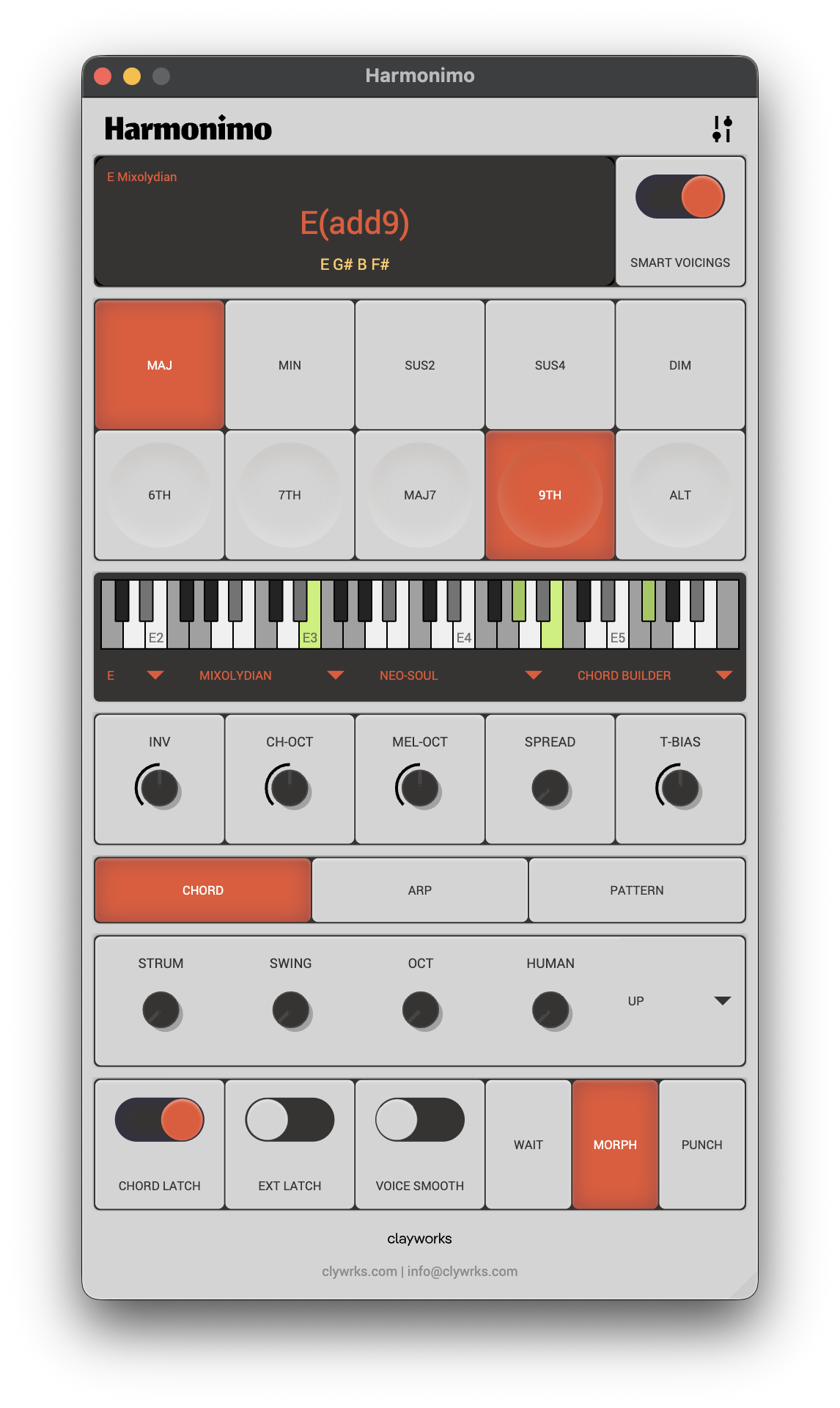
Harmonimo chord generator interface with chord and melody controls

Start with the playing model. A useful chord generator should let you trigger harmony from simple input, but it should still give you control over inversions, extensions, voicing spread, rhythm, and movement. That balance is what keeps the result musical instead of automatic.

The second test is whether the plugin fits your actual studio. AU support matters for Logic Pro, VST matters for most other DAWs, and standalone MIDI output matters when you want to drive another app or hardware synth.

  • One-note chord input for fast sketching
  • Smart voicing and extension controls for better musical results
  • AU, VST, or standalone support that matches your DAW
  • Real-time MIDI output when you need to record or route the generated notes

Where does Harmonimo fit?

Harmonimo is aimed at playable harmony rather than static chord packs.

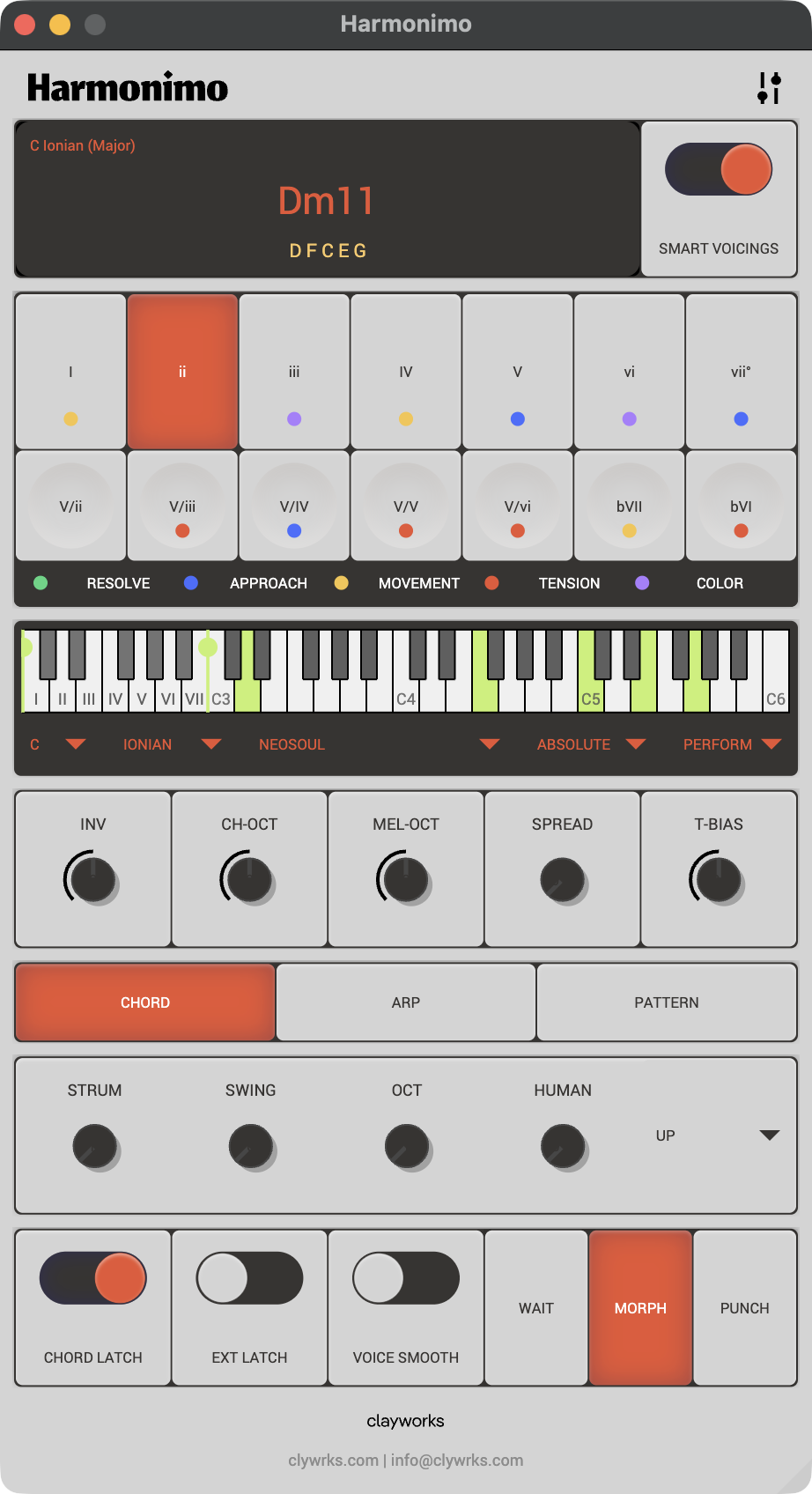
Harmonimo product interface

Harmonimo turns single notes into expressive chords, keeps melody in key, supports chord, arpeggiator, and pattern-style playback, and can output MIDI in real time. That makes it useful both as a writing plugin inside a DAW and as a standalone harmony source in a larger MIDI setup.

It is especially useful when you want to test richer progressions quickly, perform one-handed chords from a compact controller, or route generated harmony into software instruments and external synths.

  • AU and VST plugin workflows
  • Standalone app for wider routing setups
  • Controller mapping for performance-oriented chord changes
  • One-time purchase model for Harmonimo

How should you match the plugin to your DAW workflow?

The right choice depends on how you like to write.

Ableton Live users often care about speed, clip workflows, and controller mapping. FL Studio users often care about fast loop building and moving from chords into patterns. Logic Pro users usually benefit from a direct AU path that keeps the session simple.

If your setup involves external synths, separate apps, or a dedicated performance surface, standalone plus virtual MIDI routing may be the better path. A strong chord generator should support both the simple plugin route and the larger MIDI route.

  • Use the Ableton guide for clip and controller-heavy workflows
  • Use the FL Studio guide for loop and pattern writing
  • Use the Logic Pro guide for direct AU setup
  • Use the virtual MIDI guide for standalone routing

What else should you know?

What is the best MIDI chord generator plugin for a DAW?

The best option is the one that matches your host format, writing style, and routing needs. Look for AU or VST support, playable one-note chord input, voicing controls, MIDI mapping, and real-time MIDI output.

Why consider Harmonimo as a MIDI chord generator?

Harmonimo combines AU, VST, and standalone workflows with one-note chords, smart voicing, arpeggiator and pattern modes, controller mapping, and real-time MIDI output.

Where should you go from here?

If this matches what you are trying to make, use the product page for price and formats. If setup is still the question, support has the practical route.